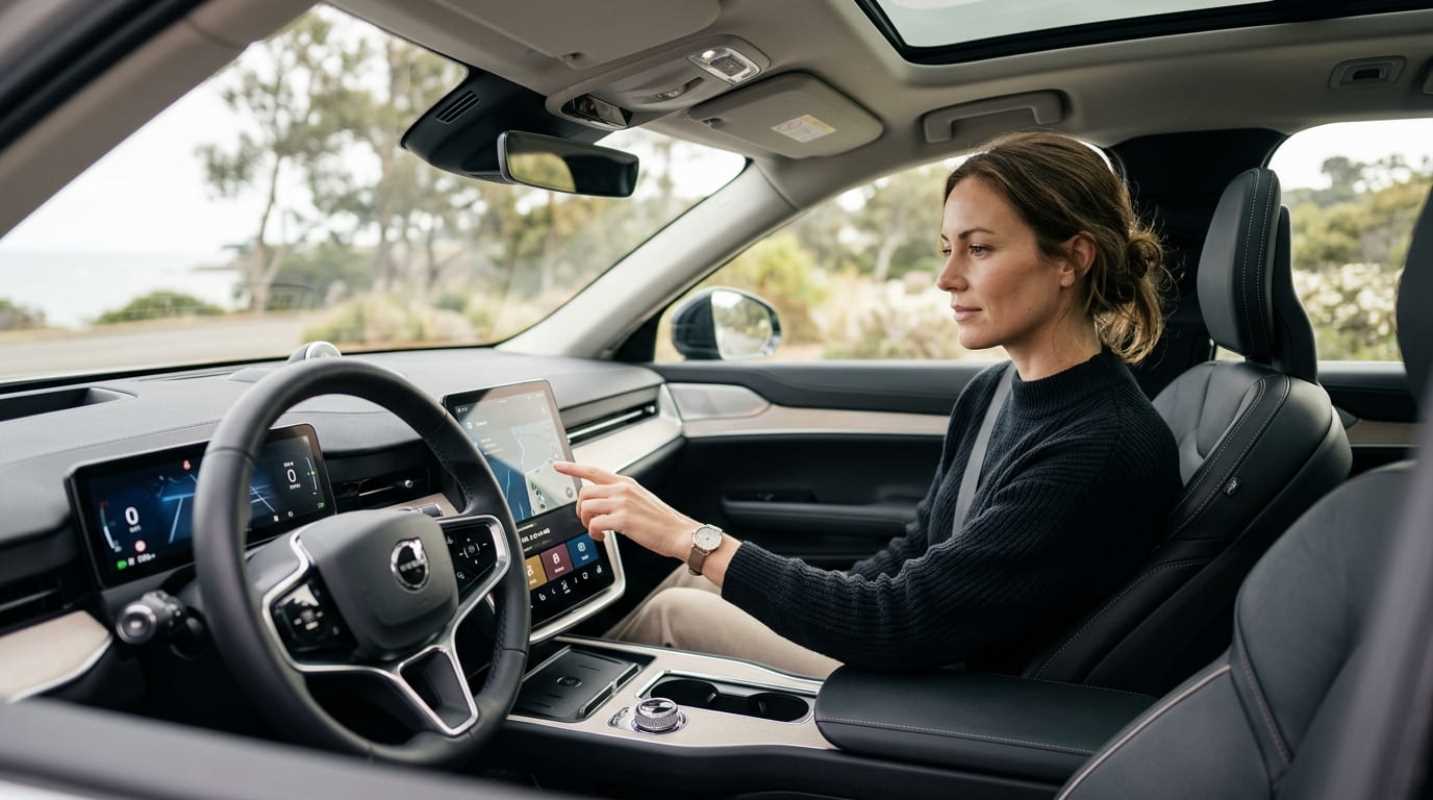
Have you climbed into a new car lately and felt like you accidentally boarded a commercial airliner? Massive screens stretch across the dashboard. Digital sliders replace simple volume knobs. You have to tap through three sub-menus just to point an air vent at your face.
Automakers spent years racing to replace every tactile switch, dial, and stalk with slick sheets of glossy glass. In the process, basic driving tasks became surprisingly complicated. More technology does not automatically make a vehicle better to drive. Finding the right car comes down to matching its digital features with your actual daily driving habits.
Defining Useful Car Technology for Your Lifestyle
What do you actually need when you get behind the wheel? The answer depends entirely on your daily routine.
If you spend an hour every morning creeping through bumper-to-bumper highway traffic, adaptive cruise control with lane-centering can save your sanity. If you live in an area with brutal winters, heated seats and quick-acting windshield defrosters are mandatory.
You need to separate functional safety tools from marketing novelties. Automatic emergency braking and blind-spot monitors step in during genuine emergencies. A passenger-side touchscreen designed to stream movies while you drive down the interstate is just visual clutter.
Automated driving features also require an honest assessment of your comfort level. The Insurance Institute for Highway Safety evaluated 14 partial automation systems and rated 11 of them as poor.¹ IIHS President David Harkey noted that partial driving automation behaves like a convenience feature rather than a proven safety technology.¹
If a semi-autonomous highway system makes you tense because you constantly have to supervise an unpredictable computer, that technology is working against you.
Mastering Infotainment and Connectivity Without the Headache
The ideal dashboard interface lets you adjust basic settings without taking your eyes off the pavement.
A famous test by the Swedish automotive publication Vi Bilägare compared modern screen-heavy interiors to an older 2005 Volvo with traditional physical buttons.² Drivers completed four routine tasks at highway speeds: adjusting the climate control, changing the radio station, and dimming the dashboard lights. In the button-filled Volvo, the tasks took just 10 seconds and 306 meters of road travel. In the most screen-reliant modern vehicle, the same tasks required nearly 45 seconds and 1,372 meters of driving blind.²
Distraction adds up fast. Research from the AAA Foundation for Traffic Safety shows that taking your eyes off the road for more than two seconds doubles your crash risk.³ When complex touchscreen menus tie up your visual attention for up to 40 seconds, a slick glass display becomes a genuine hazard.³
Regulatory bodies are finally pushing back. Starting in 2026, Euro NCAP safety protocols penalize vehicles that lack physical controls for needed operations. To earn a top safety rating, manufacturers must provide physical buttons or stalks for
• Turn signals
• Hazard warning lights
• Windshield wipers
• The vehicle horn
• Emergency SOS calling
Automakers are listening. Brands like Volkswagen and Mercedes-Benz have started reversing course, ditching fiddly touch-capacitive sliders and bringing real tactile buttons back to steering wheels after widespread customer frustration.
Smartphone integration is another major dividing line. Most drivers prefer Apple CarPlay or Android Auto because the interfaces are familiar, responsive, and free. When car companies drop phone mirroring in favor of proprietary built-in software, user satisfaction drops right alongside it.
The Art of Avoiding Unnecessary Features
Modern car technology often brings hidden long-term costs.
Automakers increasingly place built-in hardware behind recurring monthly paywalls. Heated seats, navigation routing, and remote app starts should come standard with the purchase price, not as perpetual line items on your credit card statement.
Complex electronics also affect your wallet once the factory warranty expires. Replacing a broken mechanical switch costs a few dollars. Replacing a unified 50-inch dashboard display that glazes over, freezes, or cracks can run thousands of dollars.
Watch out for these clear signs of tech bloat
• Buried needs: You need more than two screen taps to change the cabin temperature, adjust fan speed, or turn on the defroster.
• Digital vent motors: You have to drag a graphic across a touchscreen just to redirect air vents.
• Subscription traps: Routine convenience hardware demands an active monthly software plan to function.
• Nagging nanny systems: The lane-keep assist system beeps loudly and yanks the steering wheel over minor road deviations until you give up and turn it off completely.
A Practical Approach to Tech Evaluation on the Test Drive
Dealership showrooms are designed to dazzle you while the car sits parked under bright spotlights. The real test happens when you merge into live traffic.
Take a structured approach to your next test drive
1. Try the no-look test. Although looking straight out the windshield, reach out to adjust the temperature and audio volume. Can you find them by muscle memory alone?
2. Count the screen taps. How many menus do you have to open to switch drive modes or activate the heated mirrors? If it takes more than two deliberate taps, the interface is poorly designed.
3. Test the voice recognition with background noise. Roll the windows down an inch, run the air conditioning fan on medium, and ask the car to handle home. If it struggles, you will rarely use it on the road.
4. Check your mental energy. After a 20-minute drive, did the assistance systems help you relax, or did you spend the entire trip trying to silence confusing warning chimes?
Striking Your Perfect Tech Balance
The right vehicle supports your commute without constantly fighting for your attention.
Never let a dealership salesperson convince you that more screens mean a better car. High-tech features should solve specific driving problems, not create brand-new distractions. If an entry-level trim with regular physical buttons and standard smartphone mirroring feels more comfortable than a digital flagship model, trust your instincts.
You are buying a machine to drive, not an oversized smartphone on wheels. Pick the vehicle that keeps you relaxed, keeps your eyes on the road, and puts practical function first.
Sources:
1. First Partial Driving Automation Safeguard Ratings Show Industry Has Work to Do
https://www.iihs.org/news/detail/first-partial-driving-automation-safeguard-ratings-show-industry-has-work-to-do
2. Physical Buttons Outperform Touchscreens in New Cars
https://etsc.eu/physical-buttons-outperform-touchscreens-in-new-cars/
3. AAA Vehicle Infotainment Systems Create More Distractions for Drivers
https://info.oregon.aaa.com/aaa-vehicle-infotainment-systems-create-more-distractions-for-drivers/